Features & Capabilities
Discover how CAP Pilot enhances your SAP CAP development experience
Coding Extension
Powerful coding assistance directly in VS Code & SAP Business Application Studio with built-in chat, intelligent code completion, and latest CAP knowledge.
CAP Expert Chat
Interactive Q&A directly on our website. Ask questions and get expert answers powered by the latest CAP knowledge.
See the Difference
Which AI really helps with CAP development? We tested common development questions and compared the answers. See for yourself how SAP Joule, ChatGPT, and CAP Pilot perform – and why CAP Pilot delivers the best, tailor-made solutions.
Scenario 1
How to make currentStock positive numbers only in this entity?

entity Books : cuid {
  currentStock: Integer;
} To ensure positive numbers, add a range assertion:
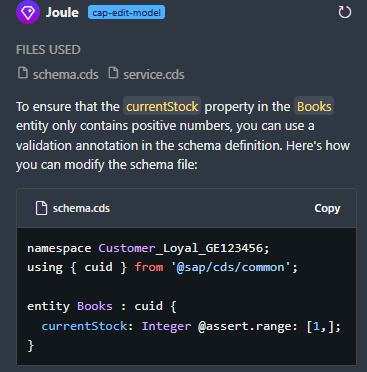
❌ Invalid range syntax
❌ Missing upper bound specification
❌ No up-to-date CAP knowledge
Here's how to ensure currentStock is positive:
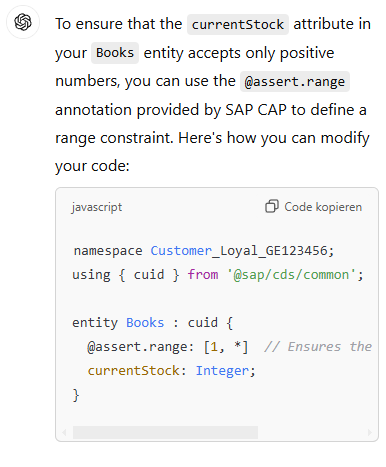
❌ Incorrect syntax: '*' is not valid in range assertions
❌ Missing explanation of proper range syntax
❌ No IDE integration
Here's the correct way to ensure positive numbers (greater than 0):
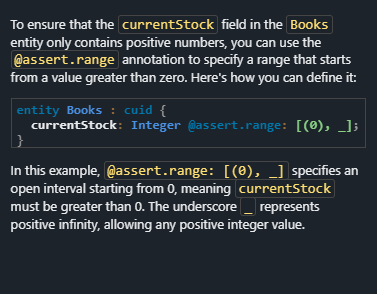
✓ Follows SAP CAP best practices
✓ Correct range syntax using '[(0),_]'
✓ Proper exclusion using parentheses
✓ Use of '_' for positive infinity
Scenario 2
I want that my entity only exists one time to store some global values, how?

{
  entity Global as projection on GlobalEntity;
} Try using the @singleton annotation:
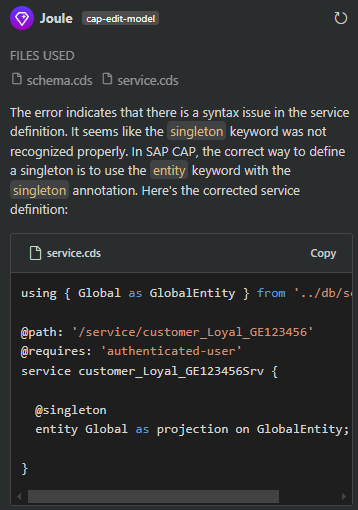
❌ @singleton does not exist
❌ References some unknown error
❌ Solution does not run
You can use a singleton pattern by adding a unique constraint:
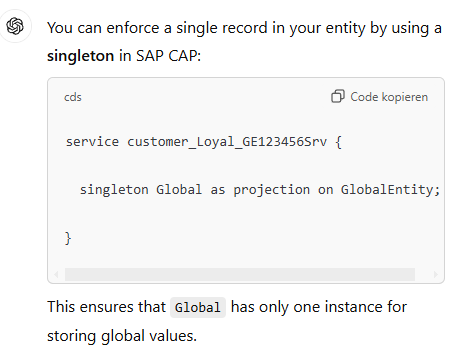
❌ Hallucinates singleton declaration
❌ Not up-to-date documentation
❌ No IDE integration
Here's how to create a singleton entity using @odata.singleton:
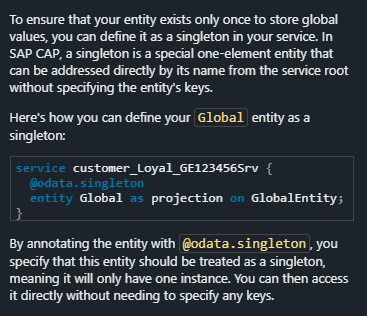
✓ Follows SAP CAP best practices
✓ declares @odata.singleton
✓ explains the solution
Scenario 3
How to have the combined name here?

entity Employees {
   firstName : String; lastName : String;
} Create a new field to store the full name:
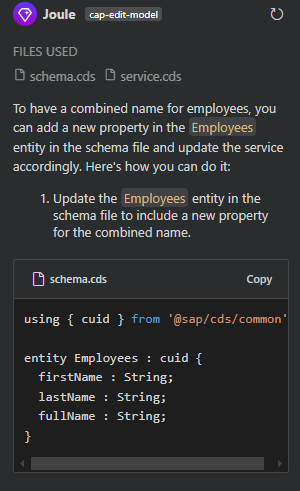
❌ Wants you to maintain more data
❌ No knowledge of calculated fields
❌ Solution does not run
You can combine the names using a computed field:
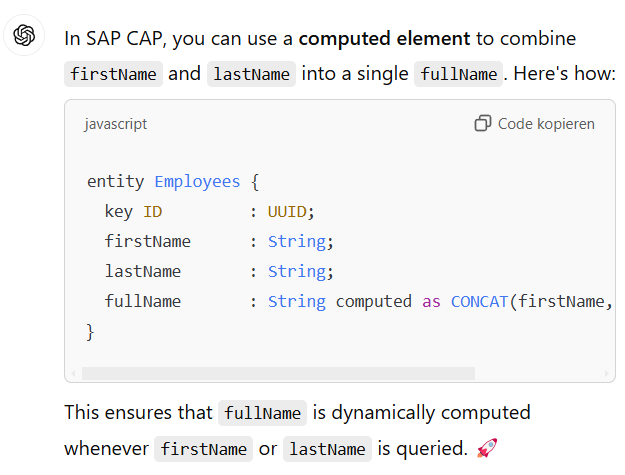
❌ Hallucinates string computed
❌ Compile error
❌ No IDE integration
Use a virtual field to combine firstName and lastName:
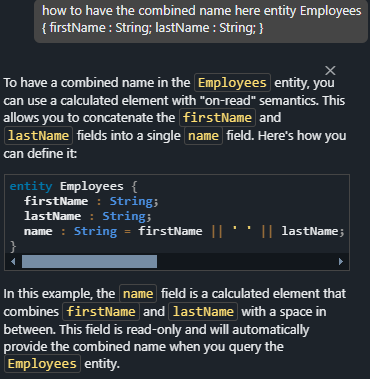
✓ Follows SAP CAP best practices
✓ Declares calculated field
✓ keeps data clean